
How to Choose the Best Robot Software for Your Business?

Choosing the best robot software for your business is a practical decision, not a popularity contest. The right platform must fit your robots, workflows, staff skills, and growth plans. A warehouse robot may need reliable navigation, fleet coordination, and real-time alerts. A collaborative arm may require safer motion control, vision integration, and simple task programming. These needs rarely appear together in one perfect package.

Brian Gerkey, co-founder and CEO of Open Robotics, described a key principle clearly: “ROS is not an operating system in the traditional sense.” That distinction matters when evaluating robot software. A flexible framework may connect sensors, cameras, controllers, and cloud tools, but your team still needs capable hardware and disciplined deployment practices. Look closely at documentation, supported interfaces, update policies, cybersecurity controls, and technical support. Ask for a live demonstration using your own workflow. A polished demo can hide difficult integration work.

Experience also exposes uncomfortable gaps. Software that performs well in a quiet test area may struggle beside metal shelves, changing lighting, or unreliable Wi-Fi. Licensing costs may seem manageable until every additional robot needs another subscription. Your operators may prefer a simpler interface over a technically advanced system. No shortlist is perfect. The strongest choice is usually the platform that solves today’s measurable problem without creating tomorrow’s maintenance burden. This guide examines those trade-offs, so decision-makers can compare robot software with clearer expectations and stronger evidence.
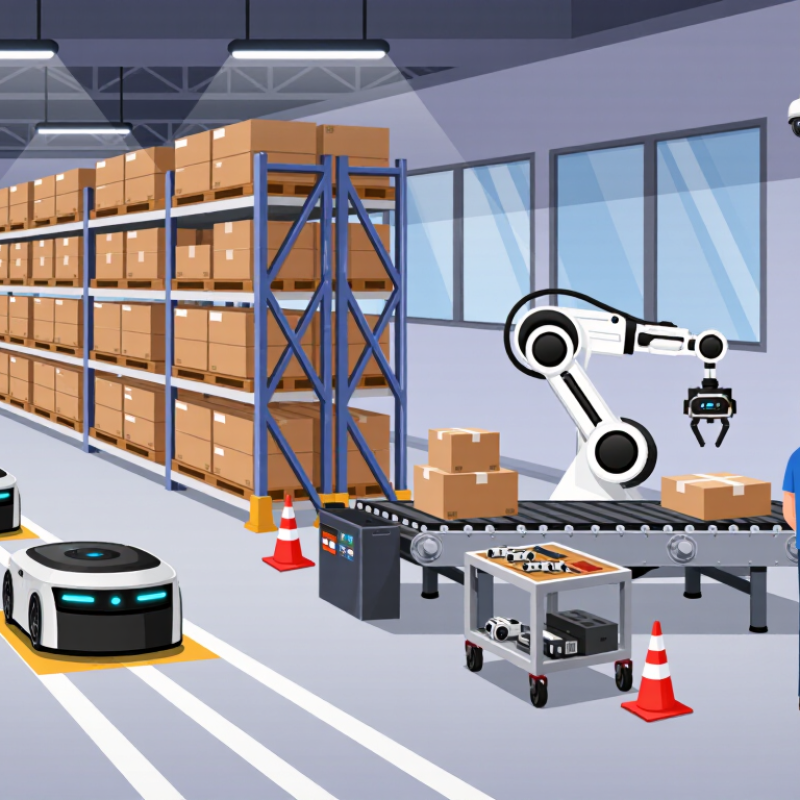
How to Choose the Best Robot Software for Your Business?

Define Your Business Goals and Robot Software Requirements

How to Choose the Best Robot Software for Your Business?

Before comparing robot software, define what your business must improve. A warehouse may need faster picking, while a factory may need steadier quality checks. Write the goal in measurable terms, such as reducing inspection time by 20 percent. Avoid vague aims like “modernize operations.” They sound attractive but rarely guide a useful purchase. Speak with operators, supervisors, and maintenance staff. Their daily experience often reveals problems that management reports miss.

Describe the working environment in practical detail. Note floor conditions, lighting changes, network coverage, safety zones, and equipment movement. Decide whether the software must support navigation, vision, scheduling, data analysis, or remote monitoring. Check integration needs with existing inventory, production, or maintenance systems. A short requirements list is helpful. An overly ambitious one can become expensive and difficult to test. We learned this the hard way.

Set clear limits for training time, technical support, data security, and future expansion. Ask how users recover from sensor errors or interrupted tasks. Request a realistic trial using your own workflow, not only a polished demonstration. Measure task accuracy, response time, downtime, and operator effort. Some requirements may change after testing. That is normal. A reliable decision comes from documented evidence, honest feedback, and goals that match the people using the robots every day.

Identify the Main Types of Robot Software

When choosing robot software, identify its role before comparing features. The main types are control, perception, planning, simulation, and fleet management. Each solves a different operational problem.

Control software translates commands into motor movements, speed changes, and precise stops.

Perception software interprets cameras, scanners, and sensors around the robot.

Planning software selects routes, avoids obstacles, and adjusts tasks when conditions change.

Simulation software creates a virtual work area for testing layouts before installation.

Fleet management software assigns jobs across multiple machines and displays battery, location, and fault data.

Integration software connects robots with warehouse, manufacturing, or service systems.

Safety monitoring deserves separate attention. It can trigger protective stops when a person enters a restricted zone.

Look at the work area, not only the product brochure. A dusty floor may challenge sensors. Narrow aisles may expose weak route planning. During a pilot, record task time, missed detections, recovery steps, and operator training hours. Small details matter.

Also check update controls, access permissions, audit logs, and local support. Reliable software should explain failures clearly, not merely show a red warning.

Avoid buying every module at once; unused features create cost and confusion. Yet choosing the cheapest control layer can limit future expansion. That trade-off is easy to underestimate. A short trial with real workloads often reveals more than a polished demonstration.

Evaluate Essential Features and System Compatibility

Choosing the best robot software starts with system compatibility, not attractive demonstrations. A smooth trial can hide costly integration problems. In real deployments, I check the robot’s operating system, controller, sensors, and communication protocols. I also verify whether the software supports common data formats and reliable application programming interfaces.

The existing workflow matters just as much. Can the software connect with warehouse systems, production databases, or quality tools? Test this connection with real records, not sample files. Measure response time near busy machines. Check how the system behaves after a network interruption. Recovery should be clear and fast. It should not require an expert beside every robot.

Security and scalability need practical testing. Review user permissions, audit logs, update controls, and data storage locations. Ask who can access movement data and maintenance records. Then run a small pilot in the intended work area. Include noise, blocked paths, changing workloads, and operator mistakes. A controlled demo is not enough.

I have seen teams overlook older equipment. That choice created extra gateways and manual work. Compatibility tables can also be incomplete. Confirm every claim with a technical test and written support terms. No checklist is perfect. I still revisit the evaluation after deployment, because actual operators often reveal problems that engineers miss. The right software should fit today’s equipment while leaving room for future robots, sensors, and workflow changes.

Compare Security, Scalability, Costs, and Vendor Support

How to Choose the Best Robot Software for Your Business?

Security should be tested before convenience. Check role-based access, encryption, audit logs, and the vendor’s patching process. Ask how quickly critical weaknesses receive fixes. During a pilot, review login records and failed access attempts. Small details matter. Do not accept vague security promises.

Scalability requires more than handling extra robots. The software should support new sites, users, workflows, and data volumes without constant redesign. Measure response times during busy production periods. A system may perform well with ten robots, then struggle with one hundred. However, scaling tests can be expensive, so define practical limits early. Our first capacity estimate was wrong because we ignored peak shift activity.

Cost comparisons should include implementation, training, integrations, maintenance, upgrades, and downtime. A low subscription fee can hide costly technical work. Request a clear pricing model with realistic usage assumptions. Vendor support also deserves measurable standards. Check response times, escalation paths, support hours, and the availability of experienced engineers. Test the support process with a technical question before signing. A delayed answer can expose future risk. Ask for customer references from similar operating environments, then verify their experiences independently.

How to Choose the Best Robot Software for Your Business? — Compare Security, Scalability, Costs, and Vendor Support

The comparison below uses common software deployment models rather than individual companies or brands. Scores are indicative, based on typical capabilities, implementation requirements, and commercial practices in the business robotics market.

Robot Software Evaluation Matrix
Software Option Security Controls Security Score Scalability Profile Typical Deployment Time Estimated First-Year Cost Ongoing Operating Cost Vendor Support Best Fit Main Trade-Off
Open-Source, Self-Hosted Platform Customer-managed identity access, network isolation, encryption configuration, audit logging, and source-code review. 3.5/5 Can scale across robots and sites, but performance, monitoring, upgrades, and high availability require internal engineering. 2–6 months US$40,000–US$180,000 US$20,000–US$120,000 per year, excluding hardware Community support or paid specialist support; response times vary. Technical teams that need customization and control over deployment. Lower license costs can be offset by engineering, maintenance, and security responsibilities.
Cloud-Based Commercial Platform Managed identity, encryption in transit and at rest, centralized logging, regular patching, backups, and configurable access policies. 4.2/5 Designed to add robots, users, workflows, and locations with minimal infrastructure changes. 1–3 months US$60,000–US$250,000 US$30,000–US$180,000 per year, often usage-based Structured support plans, documentation, training, and optional service-level commitments. Organizations seeking faster deployment and centralized fleet visibility. Recurring fees, internet dependency, and reduced control over the underlying infrastructure.
Enterprise On-Premises Platform Private-network operation, integration with corporate identity systems, detailed audit trails, data residency control, and customized security policies. 4.5/5 Strong for large fleets when supported by dedicated servers, redundancy, observability, and infrastructure teams. 4–12 months US$180,000–US$750,000 US$80,000–US$350,000 per year, excluding major infrastructure upgrades Dedicated account management, professional services, integration assistance, and contractual response targets. Regulated or large organizations requiring maximum control and integration depth. High implementation complexity, longer procurement cycles, and substantial infrastructure ownership.
Low-Code Workflow and Orchestration Platform Role-based access, basic encryption, activity logs, approval workflows, and configurable data retention. 3.8/5 Scales well for standardized processes, but complex multi-site coordination may require custom development. 2–8 weeks US$25,000–US$150,000 US$15,000–US$100,000 per year, commonly based on users, robots, or workflow volume Online documentation, onboarding, ticket support, and optional implementation consulting. Operations teams automating repeatable workflows with limited programming resources. Less flexibility for advanced robotics control, unusual hardware, or highly specialized algorithms.
Specialized Edge-Control Software Local processing, device authentication, signed updates, network segmentation, and operation during temporary cloud outages. 4.1/5 Strong for time-sensitive control and local autonomy; enterprise-wide reporting may need additional systems. 2–6 months US$75,000–US$350,000 US$35,000–US$200,000 per year, excluding edge hardware replacement Technical integration support, maintenance releases, and on-site assistance may be available under contract. Factories, warehouses, and facilities with strict latency or connectivity requirements. More hardware management and potential integration effort across different sites.
Evaluation notes: Cost ranges are indicative planning estimates in United States dollars and may vary according to robot count, integrations, data volume, implementation scope, compliance requirements, and support level. Security scores are comparative—not certifications—and should be validated through architecture reviews, penetration testing, access-control checks, incident-response procedures, and contractual requirements.

Test, Select, and Implement the Best-Fit Software Solution

Choosing robot software should begin with a controlled test, not a sales presentation.

The International Federation of Robotics reported 541,302 industrial robots were installed worldwide in 2023. That scale increases pressure for reliable software. Yet global adoption figures do not prove local suitability.

Map three real tasks before comparing features. Use actual production logs, lighting conditions, payloads, and operator routines. Measure cycle time, exception rates, uptime, training minutes, and recovery steps. Include an uncomfortable scenario. A jammed conveyor, perhaps. Test data export, system integrations, cybersecurity controls, and offline recovery. A polished demonstration can hide weak performance.

Selection works better with a weighted scorecard. Give safety, interoperability, usability, scalability, vendor support, and total cost clear values. McKinsey’s 2024 State of AI report found that 72% of respondents regularly used AI in at least one business function. Adoption is rising, but implementation quality still varies widely.

A useful admission: the first scorecard is rarely complete. Add criteria after each test. Then run a limited pilot in one cell or workflow. Define acceptance thresholds before deployment.

Track faults, maintenance time, employee feedback, and unexpected manual work. Keep the pilot long enough to expose shift changes and seasonal variation. Thirty days may be insufficient. That is easy to underestimate. Choose the solution that performs consistently in your environment, not the one with the longest feature list.